Keep billing when the internet goes down.
CB POS is free point-of-sale software for Sri Lankan shops. It works out VAT and SSCL from the price on your shelf, prints receipts in Sinhala, Tamil or English, and keeps every sale on your own computer.
Windows 10 or later · v1.3.0 · 64 MB
0 ms
spent waiting for the internet at the till. Each sale saves to your own computer first.
Rs. 0 / mo
CB POS is free and stays free. There's no paid version waiting for you later.
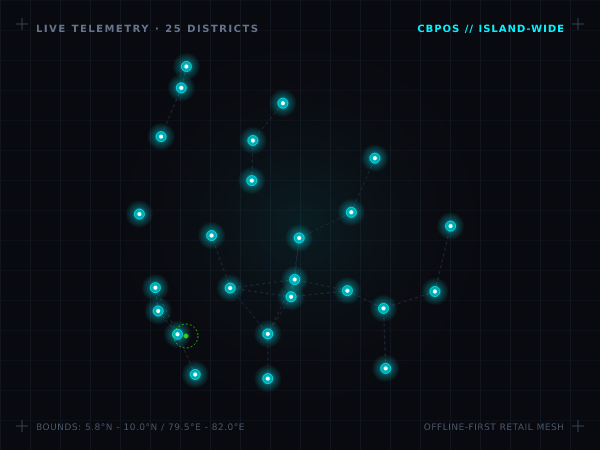
districts with a CB POS shop on the map
18% + 2.5%
VAT and SSCL worked out from your shelf price, once VAT registration is on*
* CB POS calculates these. The IRD hasn't certified it. Read the tax disclaimer.
Where a small shop loses money every day
The internet drops, and the bill stops.
When the router blinks, a cloud POS can't save the sale. The queue grows while you wait, and some customers walk out.
Paying every month, in busy months and slow ones.
A subscription charges you whether you sold a lot or very little, and your sales history sits on someone else's server.
VAT by calculator, weights by guesswork.
Working VAT back from the MRP by hand, rounding 1.250 kg down to 1 kg, forgetting SSCL. Each slip is small, but they add up by the end of the month.
Everything runs on the computer at your counter.
Bill without reaching for the mouse.
Every action has a key: F3 finds an item, F5 takes payment, F12 settles in exact cash and F6 holds a bill. Press F1 in CB POS whenever you need the full list.
Try it here: press F3, then Enter, then F5
Turn the Wi-Fi off. Keep selling.
Each sale is saved on the computer in your shop within milliseconds, so a dropped connection never stops a bill.
Use the printer and scanner you already have.
CB POS works with 58mm and 80mm ESC/POS receipt printers connected through Windows, your network or USB, with any barcode scanner that types like a keyboard, and with cash drawers that open through the printer.
ESC/POS Thermal Printer
58mm / 80mm USB & Port 9100
Barcode Scanner
Keyboard-wedge USB HID
Cash Drawer
RJ11 via printer DK port (24V)
Price/Weight Scale
EAN-13 in-store label parser
VAT and SSCL, worked out from the shelf price.
Type the MRP and CB POS works backward to the price before VAT, the 18% VAT, and the 2.5% SSCL on half of that price. Your customer still pays the MRP.
before VAT = MRP ÷ 1.18 · SSCL = before VAT × 50% × 2.5%
This applies once VAT registration is on in Settings. The figures are an example, so please check your rates with your accountant.
Receipts your customers can read.
Pick Sinhala, Tamil or English for each till's receipts in Settings. CB POS prints Sinhala and Tamil as images, so the letters come out right on ordinary thermal printers. Item names print in English.
CEYLON GROCERS (PVT) LTD
Retail & Wholesale · Colombo 03
2026-10-24 14:32 · Till 01 · Bill 0142
Scan the scale label and the weight is in.
Rice, dhal and vegetables sell to three decimal places. Scan the barcode label your scale prints and CB POS reads the weight, so nobody types 1.250 kg by hand. You can back everything up to a password-protected, AES-encrypted .ZIP on a USB drive.
AES-256 ENCRYPTED .ZIP BACKUPS
Zero cloud exposure · You hold the backup key on your USB drive
From download to your first bill
Download the installer
It's one free file of about 64 MB, and you don't need an account or a card. Windows will ask your permission to install it.
Answer a few setup questions
Your shop's details, your receipt printer and an admin PIN. After that you can load practice data to try things out, or start with a clean shop.
Plug in and make a sale
Connect your printer and scanner, press F3 to find an item and F5 to take payment.
Questions shop owners ask before installing.
Your next bill could be on CB POS.
It's free, it keeps billing without the internet, it works out your VAT, and you can set it up yourself.